
The PlayStation 5 is one of the most feature-rich consoles Sony has ever released.
Yet most players use it for the basics:
Launch game.
Adjust volume.
Start party chat.
Hidden within the system are tools that dramatically improve performance, accessibility, and overall experience — but many gamers never explore them.
Here are seven PlayStation features you should be using.
1. Activity Cards for Faster Progress
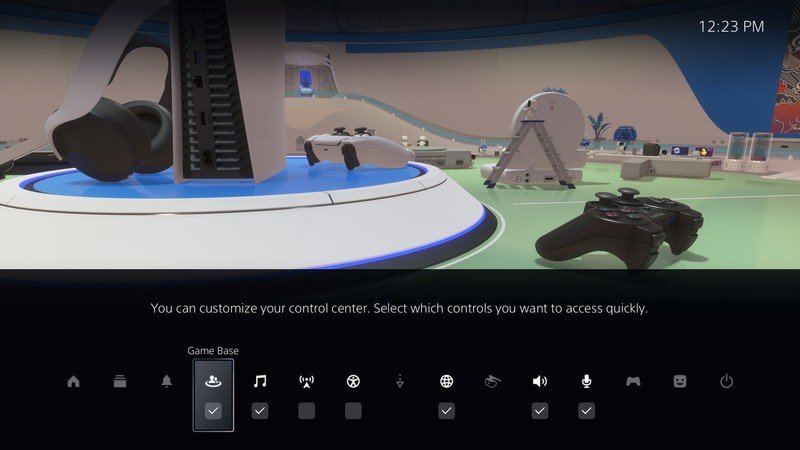
The PS5 Control Center includes Activity Cards that allow players to jump directly into specific missions, challenges, or objectives.
Instead of navigating menus or loading full save files, you can launch directly into a segment of gameplay.
This saves time and keeps momentum high — especially in large open-world titles.
2. DualSense Adaptive Trigger Customization
The DualSense controller offers adaptive triggers and haptic feedback.
Most players enjoy the feature but never customize it.
Inside settings, you can adjust trigger intensity and vibration strength — ideal for competitive players who prefer reduced resistance for faster response times.
3. Remote Play Beyond the Living Room
PlayStation Remote Play allows you to stream your console to a phone, tablet, or PC.
Many assume this feature is only for travel.
In reality, it is useful for shared households, multitasking environments, or casual play when the TV is occupied.
With a stable connection, performance is surprisingly smooth.
4. Game Presets and Difficulty Defaults
In the PS5 settings, you can establish default preferences for:
- Difficulty levels
- Performance vs. resolution mode
- Camera inversion
- Subtitles
Instead of adjusting settings in every new game, presets automate your preferred configuration.
It is a small feature with major convenience impact.
5. Expanded Storage Management
Modern games are massive.
The PS5 supports M.2 SSD expansion, but many users never explore storage optimization.
Inside system storage settings, you can:
- Move games between internal and external drives
- Monitor space allocation
- Delete unnecessary add-ons
Efficient storage management prevents constant reinstall cycles.
6. Share Screen and Screen Share Integration
While party chat is widely used, screen sharing often goes overlooked.
You can broadcast your gameplay directly to friends in a private party without public streaming.
It is perfect for:
- Showing progress
- Sharing boss fights
- Helping friends solve puzzles
It turns solo play into collaborative moments.
7. Accessibility Customization
Sony has heavily invested in accessibility.
The PS5 includes:
- Custom button remapping
- Screen reader options
- Subtitle customization
- Zoom functionality
Even players without accessibility needs can benefit from UI customization for comfort and clarity.
Why These Features Go Unused
Most players skip deep system exploration because:
- The console works fine out of the box
- Menus feel secondary to gameplay
- Features are not heavily marketed
But learning your console increases efficiency and comfort.
The Bigger Perspective
PlayStation’s strength has always been its exclusive games.
However, the hardware and operating system also deserve attention.
The PS5 is not just a game launcher.
It is a customizable ecosystem.
Taking 20 minutes to explore system settings can improve performance, convenience, and accessibility for years of use.
Modern consoles are more powerful than ever.
Using their full potential is a competitive advantage.
And sometimes, the best upgrade is already built into the system.

Unlock Full Article
Watch a quick video to get instant access.