If you’re looking to share your gameplay with the world, choosing the right capture card is crucial. With so many specifications and features to consider, it can be overwhelming. However, understanding what each spec means in practical terms will help you make an informed decision.
Understanding Resolution and Frame Rate
Resolution and frame rate are two of the most important specs to consider. Resolution refers to the number of pixels displayed on the screen, with common options being 1080p (Full HD) and 4K (Ultra HD). A higher resolution provides a sharper image, but requires more bandwidth and processing power.
Frame rate, measured in frames per second (fps), is equally important. Most gamers aim for at least 60 fps for smooth and fluid gameplay. If you’re streaming fast-paced games, opting for a card that supports higher frame rates can make a significant difference in the viewing experience.
Choosing the Right Balance
While it might be tempting to go straight for 4K at 60 fps, it’s important to consider your audience and the platforms you use. Not all streaming platforms support 4K, and the added demand on your system might not be worth it unless your audience can take full advantage of the increased quality.
Interface and Connectivity
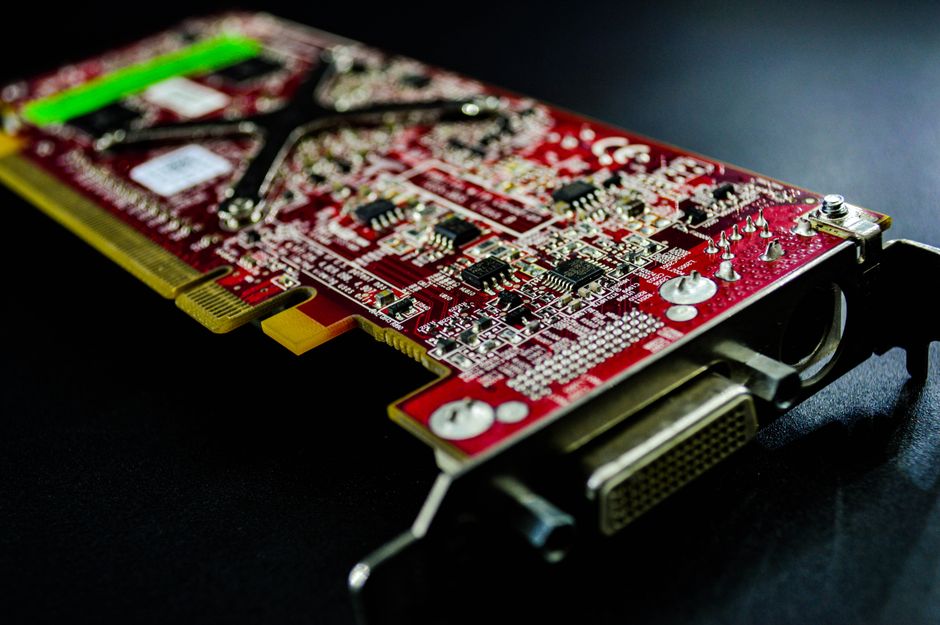
The interface of a capture card determines how it connects to your computer. The most common options are USB and PCIe. USB capture cards are easy to install and portable, making them a great choice for beginners or those who stream from multiple setups. However, they might not offer the same performance as PCIe cards, which are installed directly into your PC’s motherboard.
Compatibility Considerations
Ensure that the capture card you choose is compatible with your streaming setup. Check the card’s system requirements and verify that your PC meets them. Additionally, consider what other devices you’ll be connecting, like cameras or consoles, and ensure the card supports the necessary inputs and outputs.
Software and Features
Many capture cards come with their own software package, which can greatly influence your streaming experience. Look for software that offers features like live editing, overlays, and scene transitions. These can help you produce professional-looking streams with minimal effort.
Some cards offer additional features like hardware encoding, which offloads processing tasks from your CPU, allowing for smoother performance. This can be particularly beneficial if your PC is not high-end.
Ease of Use
If you’re new to streaming, prioritize cards with user-friendly software and plenty of online tutorials or community support. This can make a big difference in reducing the learning curve and getting your stream up and running quickly.
Latency and Lag
Latency refers to the delay between your inputs and what viewers see. Lower latency means more real-time interaction with your audience, which is critical for live streaming. Look for capture cards specifically advertising low-latency performance, especially if live interaction is a big part of your streaming experience.
Keep in mind that latency can also be influenced by your computer’s processing power and your internet connection, so these should be optimized alongside your capture card choice.
Budget and Future-Proofing
Capture card prices can vary widely, from budget options to high-end models. Consider your budget, but also think about future-proofing your purchase. Investing a bit more in a card with features that you might not need right now can save you money in the long run, especially as streaming technology continues to advance.
Set a budget range and prioritize features that you can’t compromise on. This strategy will help you find a card that suits both your current needs and potential future upgrades.
Common Mistakes to Avoid
One common mistake is over-investing in specs you don’t need. For example, opting for a 4K card when most of your audience views in 1080p. Also, avoid purchasing a card without ensuring it has adequate support and compatibility with your setup.
Another pitfall is overlooking software capabilities. A capture card is only as good as the software you use it with, so ensure that it meets your streaming style and workflow.
Finally, remember to research and read reviews from other streamers. Real-world insights can reveal potential issues or highlight strengths that aren’t obvious from specs alone.

Unlock Full Article
Watch a quick video to get instant access.