For PC gamers looking to elevate their gaming experience, pairing a high-quality SSD with the right hardware can lead to substantial performance improvements. As games become more complex and resource-intensive, ensuring that your system is well-balanced is crucial. In this article, we’ll explore how SSDs can be paired with other components to maximize gaming performance.
Understanding SSD Benefits for Gaming
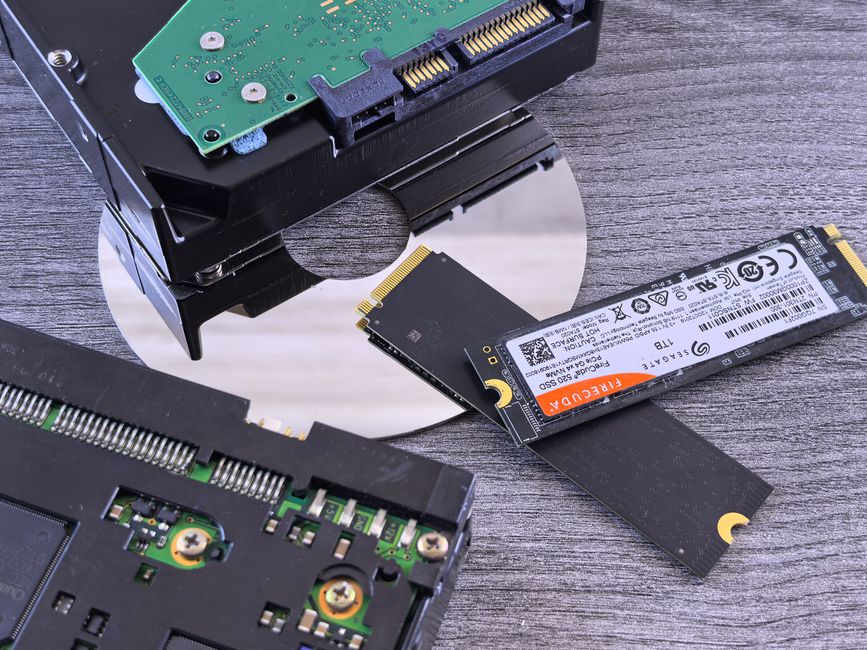
Solid State Drives (SSDs) offer significant advantages over traditional Hard Disk Drives (HDDs), especially in gaming. The primary benefits include faster load times, which means quicker game launches and reduced wait times between levels or areas. SSDs also enhance overall system responsiveness, a crucial factor when multitasking or streaming while gaming.
While SSDs alone can improve performance, their full potential is realized when paired with compatible hardware. This integration ensures that no weak link limits your system’s capabilities.

Pairing SSDs with a Powerful CPU
A powerful CPU is essential for gaming because it processes the game’s instructions and handles tasks like physics calculations and AI decisions. While SSDs improve data access speeds, a strong CPU ensures that this data is processed efficiently. Consider CPUs with higher clock speeds and multiple cores, as they can handle more tasks simultaneously, reducing the risk of bottlenecks.
When building or upgrading a gaming PC, balance your budget between the SSD and CPU. Both components should complement each other; investing heavily in one while neglecting the other can limit performance gains.
Enhancing Graphics with a Compatible GPU
Graphics Processing Units (GPUs) are pivotal in rendering high-quality visuals in games. An SSD speeds up data retrieval, but it’s the GPU that turns this data into the stunning visuals seen on screen. Ensure your GPU is capable of handling the resolutions and graphical settings you desire.
Pairing an SSD with a mid-to-high-end GPU can greatly enhance your gaming experience. Modern games often benefit from SSDs by reducing texture pop-in issues, where game textures load slowly, affecting immersion.
Optimizing RAM for Smooth Performance
RAM, or Random Access Memory, works closely with your SSD to store temporary data needed for running games. While SSDs reduce load times, sufficient RAM ensures that games run smoothly without stuttering. More RAM allows for better multitasking, such as running background applications while gaming.

When choosing RAM, consider both capacity and speed. Many modern games recommend at least 16GB of RAM, with higher speeds offering marginal performance improvements.
Motherboard Compatibility and Features
Your motherboard is the backbone of your gaming PC, connecting all components. Ensure it supports the SSD type you plan to use, such as SATA or NVMe, for optimal performance. NVMe SSDs, which connect via PCIe slots, typically offer faster speeds than SATA SSDs.
Consider motherboards with additional features like support for overclocking, which can further enhance CPU and RAM performance, giving you more headroom to push your system’s limits.
Cooling Systems: Keeping Temperatures in Check
High-performance components generate heat, which can lead to thermal throttling if not managed properly. An effective cooling solution, whether air or liquid cooling, ensures that your SSD, CPU, and GPU operate within safe temperature ranges. Consistent cooling helps maintain performance and extends the lifespan of your components.
Invest in quality cooling solutions that match your case’s form factor and airflow design. This ensures that heat is dissipated effectively, allowing your SSD and other components to perform optimally.
Common Mistakes to Avoid
- Ignoring component compatibility: Ensure that all components, including the SSD, CPU, GPU, RAM, and motherboard, are compatible.
- Overlooking balance: Distributing your budget unequally can lead to bottlenecks. Balance your investment across critical components.
- Underestimating the importance of cooling: Proper cooling is crucial for maintaining system performance and longevity.
Conclusion: Building a Balanced Gaming System
When aiming to maximize gaming performance, pairing your SSD with complementary hardware is essential. By investing in a balanced combination of a powerful CPU, capable GPU, and adequate RAM, and ensuring compatibility across all components, you can create a gaming system that delivers impressive performance and reliability. Remember, the key to a great gaming experience lies in the harmony of your setup.

Unlock Full Article
Watch a quick video to get instant access.