For gamers who enjoy playing across several platforms, having a controller that seamlessly transitions between PC and console gaming is a must. This not only saves money but also enhances the gaming experience by providing consistency in control and feel. In this guide, we’ll explore the best controllers known for their versatile compatibility, helping you make an informed choice.
Why Versatile Compatibility Matters
In the world of gaming, versatility in hardware can greatly enhance your overall experience. Controllers that work across multiple platforms reduce the need to purchase separate devices for each system, simplifying your setup. Beyond cost savings, this consistency helps players maintain a comfortable and familiar control scheme, crucial for competitive play and personal enjoyment.
Additionally, versatile controllers often come with software support that enables customization, giving gamers the freedom to tailor their gaming experience to suit their preferences. This adaptability can significantly enhance gameplay, particularly for genres where precise control is key, such as fighting games or first-person shooters.
Top Controllers with Multi-Platform Support
1. Xbox Wireless Controller
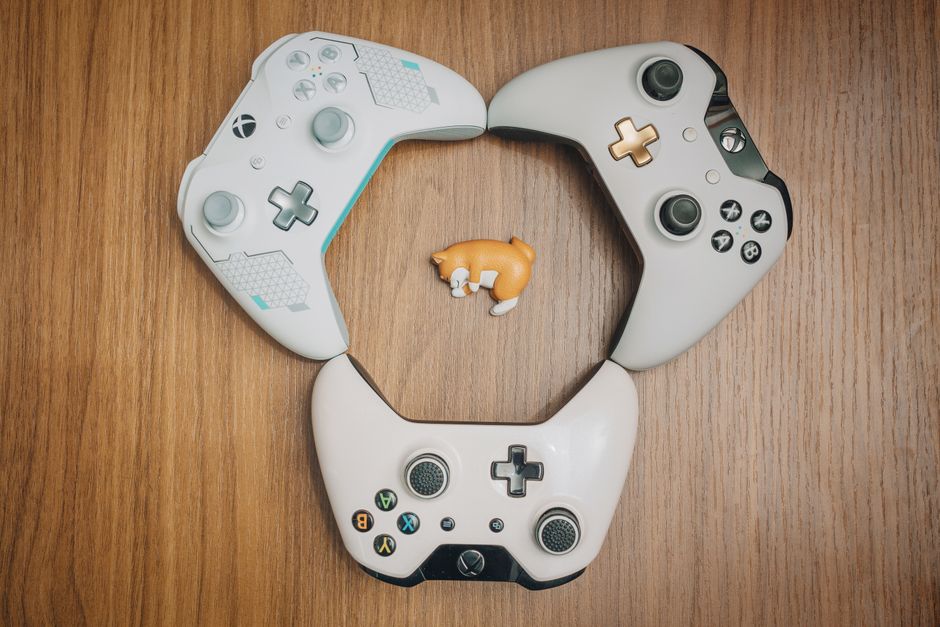
The Xbox Wireless Controller is renowned for its ergonomic design and reliable performance. Compatible with Xbox consoles, Windows PCs, and even some mobile devices, it offers a range of connectivity options including Bluetooth and USB-C. This controller’s widespread compatibility and ease of use make it a go-to choice for many gamers.
Its availability in various colors and special editions allows for personalization, while features like textured grips provide comfort during long gaming sessions. Additionally, its integration with Xbox services on Windows enhances the overall gaming ecosystem experience.
2. DualSense Wireless Controller
Sony’s DualSense controller from the PlayStation 5 is not only a favorite for console gaming but has also gained traction in the PC world. Known for its advanced haptic feedback and adaptive triggers, it provides a unique tactile experience that enhances gameplay immersion.
To use it on PC, players typically connect via Bluetooth or USB. While initial setup might require some software configurations, its compatibility with Steam and other platforms is a significant plus for multi-platform gamers, offering a blend of innovation and versatility.
3. Nintendo Switch Pro Controller
The Nintendo Switch Pro Controller, while primarily designed for the Switch, offers excellent compatibility with PCs as well. Its comfortable grip and robust battery life make it ideal for extended gaming sessions. Connecting it to a PC usually involves Bluetooth or USB, and with the right drivers, it works seamlessly with most games.
Despite its primary association with Nintendo’s hybrid console, the Pro Controller’s build quality and performance have made it popular among PC gamers seeking a reliable controller that handles cross-platform gaming with ease.
Key Features to Consider
When selecting a controller for multi-platform use, there are several important features to consider:
- Connectivity Options: Look for controllers offering multiple ways to connect, such as Bluetooth, USB, and proprietary wireless solutions. This flexibility ensures compatibility with various devices.
- Ergonomics: A comfortably designed controller is vital for long sessions. Consider grip texture, button placement, and overall weight.
- Software Support: Customization options through software can enhance the gaming experience. Controllers with robust driver and software support allow for button mapping, sensitivity adjustments, and more.
- Battery Life: For wireless controllers, battery life is crucial. Look for models with long-lasting batteries or convenient rechargeable options.
Common Mistakes to Avoid
Here are some common pitfalls to watch out for when choosing a versatile gaming controller:
- Overlooking Software Compatibility: Ensure the controller’s software is compatible with your PC or gaming setup. Not all controllers have drivers that work universally without issues.
- Ignoring Comfort: Don’t compromise on ergonomics. Even if a controller boasts many features, it should still be comfortable for use during long gaming periods.
- Neglecting Updates: Regularly updating the controller’s firmware and software can prevent compatibility issues and enhance functionality.
Conclusion: Making the Right Choice
Choosing a controller that works across multiple platforms can simplify your gaming setup and enhance your experience. Whether you prefer the Xbox Wireless Controller’s familiarity, the DualSense’s innovative features, or the Switch Pro Controller’s reliability, consider your specific needs and gaming habits when making a decision. A well-chosen controller not only complements your gaming style but also offers the adaptability that modern multi-platform gaming demands.

Unlock Full Article
Watch a quick video to get instant access.