Choosing the right gaming monitor can dramatically enhance your gaming experience, offering sharper visuals, smoother gameplay, and a more immersive environment. However, making the wrong choice can lead to buyer’s remorse or a less-than-optimal setup. To help you make an informed decision, we’ve compiled a list of common mistakes to avoid when purchasing a gaming monitor, ensuring you get the best performance for your money.
Ignoring Refresh Rates
One of the most critical factors in choosing a gaming monitor is the refresh rate, which measures how often the screen updates with new information per second, in hertz (Hz). A common mistake is opting for a monitor with a lower refresh rate, such as 60Hz, which can result in choppy visuals in fast-paced games. For smoother gameplay, especially in action or competitive titles, aim for at least 120Hz or higher. Many gamers find that 144Hz provides a perfect balance between performance and price, while some high-end monitors offer refresh rates of up to 240Hz for the ultimate experience.
Overvaluing Resolution Over Performance
While high-resolution monitors, such as 4K models, offer stunning visual detail, they may also require more powerful hardware to run games smoothly at such resolutions. Gamers often overvalue resolution without considering the performance trade-offs. For those without cutting-edge graphics cards, a 1080p or 1440p monitor might be more appropriate, offering excellent visuals without sacrificing frame rates. Consider your gaming PC’s capabilities and balance resolution with performance to get the most out of your setup.
Overlooking Response Time
Response time is another essential aspect to consider, as it affects how quickly a monitor can change pixels from one color to another, impacting motion clarity and image quality. A slower response time can lead to ghosting or motion blur, which can be distracting during gameplay. Look for monitors with a response time of 5ms or lower, with 1ms being ideal for fast-paced games. This ensures that the action on the screen remains crisp and clear, providing a competitive edge in gaming.
Neglecting Panel Type
Different panel types offer various benefits and drawbacks. It’s important to select the right one based on your specific needs. TN (Twisted Nematic) panels are known for their fast response times and high refresh rates, making them popular with competitive gamers. However, they often suffer from poorer color accuracy and viewing angles. IPS (In-Plane Switching) panels provide better color reproduction and viewing angles, ideal for those who also use their monitors for creative work. VA (Vertical Alignment) panels offer the best contrast ratios, making them suitable for darker games or media consumption. Understanding these differences can help you choose a monitor that matches your gaming and general usage requirements.
Forgetting to Consider Connectivity Options
Connectivity is often an overlooked aspect when purchasing a gaming monitor. Ensure that the monitor you select has the necessary ports to connect to your gaming system, whether it be HDMI, DisplayPort, or others. Additionally, consider the future-proofing aspect of your purchase. If you plan to upgrade your gaming setup, make sure the monitor supports the latest connectivity standards, such as HDMI 2.1 or DisplayPort 1.4, which can handle higher resolutions and refresh rates.
Failing to Account for Size and Ergonomics
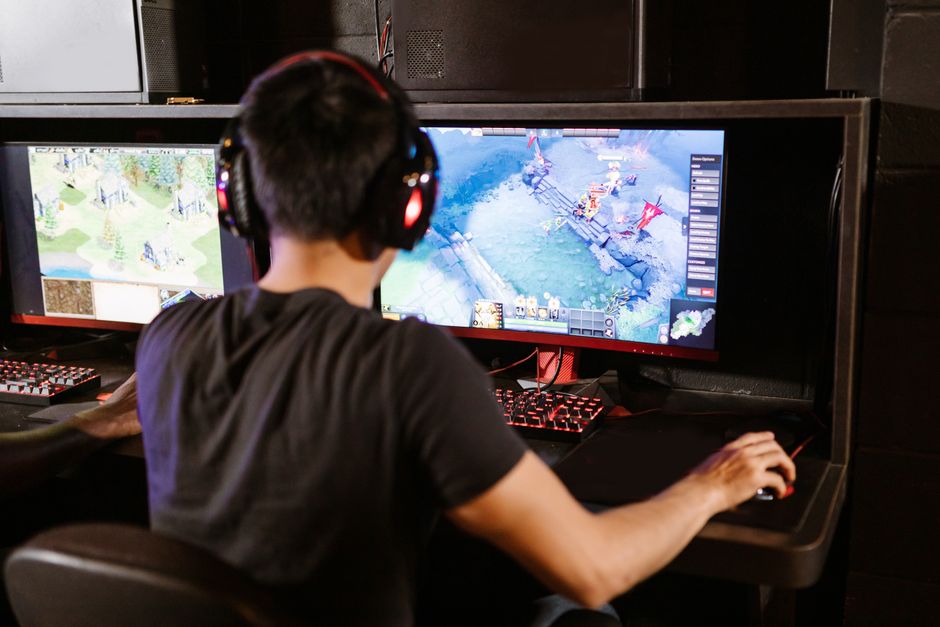
Monitor size and ergonomics can significantly affect your comfort and gaming enjoyment. A monitor that is too large or too small for your desk space can lead to an uncomfortable experience. Opt for a size that fits your environment, typically ranging from 24 to 32 inches for most gaming setups. Additionally, consider a monitor with ergonomic features such as height adjustment, tilt, swivel, and pivot capabilities, which can help reduce strain during long gaming sessions.
Overlooking Adaptive Sync Technologies
Adaptive sync technologies such as NVIDIA G-Sync and AMD FreeSync are designed to eliminate screen tearing and stuttering. Many gamers overlook these features, which can lead to an inconsistent gaming experience. When shopping for a monitor, check if it supports these technologies, especially if you have a compatible graphics card. This ensures smoother visuals and improves overall gameplay quality.
Conclusion
Avoiding these common mistakes can help you choose a gaming monitor that truly enhances your gaming sessions. By considering factors such as refresh rate, resolution, response time, panel type, connectivity, size, and adaptive sync technologies, you’ll be well-equipped to make a decision that fits your specific needs and preferences. Take the time to assess your requirements and keep these insights in mind to ensure your investment yields the best possible gaming experience.

Unlock Full Article
Watch a quick video to get instant access.