Building a gaming PC on a tight budget can seem daunting, but with careful planning and smart component choices, you can assemble a machine that offers impressive performance without draining your wallet. This guide will walk you through the essential components needed for a cost-effective gaming setup and provide tips on how to get the most bang for your buck.
Setting a Realistic Budget and Expectations
When planning your budget-friendly gaming PC build, it’s crucial to set a realistic budget and understand what performance levels you can achieve within that range. A sensible starting point is to allocate your funds across key components such as the CPU, GPU, memory, and storage, which significantly impact gaming performance. Remember that while you may not achieve ultra-high settings on the latest games, a well-balanced budget build can still deliver a smooth gaming experience.
Start by researching current prices for components and decide where you can afford to spend a little more for better performance. Prioritize components that offer the most significant performance improvements in gaming, such as the GPU and CPU, while considering second-hand options or sales for other parts.

Choosing the Right Processor
The processor, or CPU, is the brain of your gaming PC and plays a crucial role in determining overall performance. For a budget build, consider mid-range processors that offer a solid balance of price and performance. Look for CPUs with multiple cores and threads, as these can handle modern gaming demands more efficiently.
Brands like AMD and Intel offer a range of processors that cater to different budget levels. AMD’s Ryzen series, for example, often provides good value with competitive performance. Make sure to check compatibility with your chosen motherboard to avoid any compatibility issues.
Selecting a Graphics Card
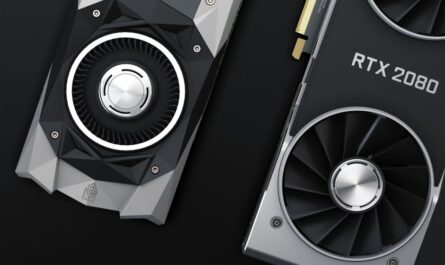
The graphics card, or GPU, is arguably the most critical component for gaming performance. When building on a budget, aim for a card that provides good performance at a reasonable price point. While high-end cards can be tempting, many mid-range options can deliver excellent 1080p gaming experiences.
It’s worth checking for used or refurbished GPUs, as these can offer significant savings. Additionally, keep an eye on price trends and sales events, which can help you snag a good deal on a reliable graphics card.
Optimizing Memory and Storage
RAM is another crucial component that impacts gaming performance. For a budget build, aim for at least 8GB of RAM, but 16GB is preferable if your budget allows, as it provides more headroom for multitasking and future games. Check for deals on memory kits and consider dual-channel configurations for better performance.

When it comes to storage, a solid-state drive (SSD) is a must for fast load times and system responsiveness. Consider a smaller SSD for your operating system and key games, paired with a larger traditional hard drive for additional storage. Many budget SSDs offer excellent performance without a hefty price tag.
Motherboard and Power Supply Considerations
The motherboard is the backbone of your gaming PC, connecting all your components. For budget builds, choose a motherboard that offers the features you need without unnecessary extras. Look for models that support your chosen CPU and have sufficient connectivity options for future upgrades.
Equally important is the power supply unit (PSU). A reliable PSU ensures stable power delivery to your components and helps protect them from electrical issues. Opt for a PSU with a reputable brand and sufficient wattage to accommodate your build. While it might be tempting to cut costs here, investing in a quality PSU can prevent potential problems down the line.
Common Mistakes to Avoid
When building a budget gaming PC, several common pitfalls can be avoided with careful planning:
- Overspending on Aesthetics: While RGB lighting and fancy cases look appealing, prioritize performance components over aesthetics, especially when funds are limited.
- Neglecting Cooling: Ensure your build has adequate cooling, as overheating can throttle performance and reduce component lifespan.
- Ignoring Compatibility: Double-check compatibility between components—such as the CPU, motherboard, and RAM—to avoid costly mistakes.
- Skipping Research: Take the time to read reviews and benchmark tests to understand how different components perform in real-world scenarios.
Conclusion
Building a budget-friendly gaming PC is all about making strategic choices that maximize performance without overspending. By focusing on components that offer the best value and staying informed about current market trends, you can assemble a gaming machine that meets your needs and allows for future upgrades. With the right approach, you’ll enjoy a satisfying gaming experience without breaking the bank.

Unlock Full Article
Watch a quick video to get instant access.