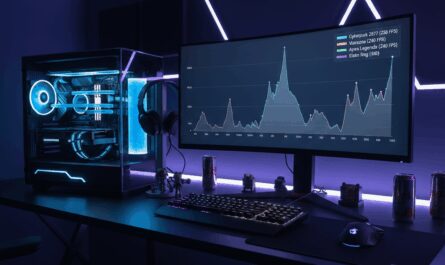
For gamers who also aspire to create and stream content, building a PC that can handle both gaming and broadcasting tasks efficiently is essential. Crafting a setup that’s optimized for streaming involves balancing performance, quality, and budget. In this guide, we’ll walk you through creating a powerful gaming PC ready for streaming, ensuring your setup delivers on both fronts.
Understanding the Core Components
Building the perfect PC for gaming and streaming requires a deep understanding of the core components that will affect both gaming performance and streaming quality. These include the processor, graphics card, memory, and storage. Each plays a crucial role, and selecting the right combination is key to achieving the best results.
Processor (CPU)
The processor is the heart of your PC. For streaming while gaming, a multi-core CPU is recommended. This allows for smooth multitasking, as the CPU can handle both game processing and video encoding. Many content creators opt for CPUs with at least six cores, though more cores can offer better performance and future-proofing.
Graphics Card (GPU)
The GPU is vital for rendering high-quality graphics in games. For streamers, a powerful GPU can also handle video encoding, offloading some tasks from the CPU. Look for GPUs that support hardware encoding, as this can significantly enhance streaming quality without compromising game performance.
Memory (RAM)
Streaming and gaming simultaneously require a fair amount of RAM. While 16GB is often considered the minimum, 32GB is recommended for those who use additional software, such as video editors or live streaming applications, concurrently. Faster RAM can also slightly improve performance in memory-intensive tasks.
Storage
Opt for a combination of SSD and HDD storage. An SSD is crucial for the operating system and games you play frequently to reduce load times, while a larger HDD can store recorded streams and other media files. This setup balances speed and storage capacity affordably.
Choosing the Right Motherboard and Power Supply
Your motherboard needs to support all your chosen components and have additional features like multiple USB ports for peripherals. Future upgradeability should also be considered, allowing you to enhance your system without replacing everything.
Motherboard
Select a motherboard that matches your CPU and has ample slots for RAM, a robust cooling system, and sufficient ports for all your peripherals. Ensure it supports the latest connectivity standards, such as USB Type-C and PCIe 4.0, to prolong its relevance.
Power Supply Unit (PSU)
A reliable PSU ensures stable power delivery to all components. Calculating the required wattage based on your components is crucial, and it’s wise to choose a PSU with a bit of headroom. Look for high-efficiency ratings, such as 80 PLUS Gold or better, which can reduce electricity costs and improve longevity.
Cooling and Case Selection
Effective cooling keeps your system running efficiently, especially during long streams. A well-chosen case and cooling system prevent overheating and noise, contributing to a better streaming environment.
Cooling Solutions
Consider both air and liquid cooling options. Air cooling is typically sufficient for moderate setups, but liquid cooling can provide more efficient heat dissipation, particularly for overclocked CPUs and GPUs. Ensure your chosen solution fits your case and supports future upgrades.
Case Considerations
Your case should accommodate all chosen components with room for adequate air circulation. Consider cases with sound-dampening materials if you prioritize a quieter setup, crucial for maintaining clear audio during streams. Additionally, look for cases with easy-access ports and cable management features to simplify setup and maintenance.
Software and OS Setup
Once your hardware is assembled, installing the right software and optimizing your operating system is crucial for a smooth streaming experience. Choosing the correct streaming platform and configuring your settings can significantly impact performance.
Operating System
While both Windows and Linux have their merits, Windows is often favored by gamers for its compatibility with a wide range of games and streaming software. Ensure your OS is up-to-date to take advantage of security patches and performance improvements.
Streaming Software
Popular options include OBS Studio and Streamlabs OBS. These platforms offer robust features for live streaming and video recording. Configure your settings to balance video quality and performance, considering your internet bandwidth and system capabilities. Testing and adjusting settings before going live ensures a smoother experience.
Common Mistakes to Avoid
Building a gaming PC for streaming involves several considerations, and avoiding common pitfalls can save time and money. Here are a few mistakes to look out for:
- Underestimating Power Supply Needs: Ensure your PSU can handle future upgrades.
- Ignoring Cooling Requirements: Adequate cooling prevents performance throttling during intense sessions.
- Overlooking Peripheral Compatibility: Ensure all components fit and work together seamlessly.
- Skipping Software Optimization: Fine-tuning your streaming software and OS settings can significantly improve performance.
Conclusion
Building a gaming PC that doubles as a streaming powerhouse is a rewarding endeavor. By carefully selecting each component and optimizing your setup, you can create a system that meets the demands of both gaming and content creation. Whether you’re just starting or looking to upgrade, this guide provides a solid foundation for achieving a successful build.

Unlock Full Article
Watch a quick video to get instant access.