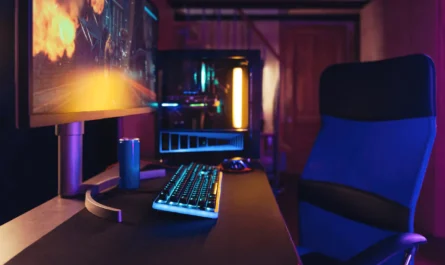
Building a gaming PC is an investment, and like any significant investment, you want to ensure that it stands the test of time. With the rapid evolution of technology, it is crucial to select components that will support the demands of next-generation games. This guide aims to help you construct a gaming PC that can handle future titles while offering you the flexibility to upgrade when necessary.
Understanding the Importance of a Future-Proof Build
Future-proofing your gaming PC means selecting components that will remain relevant and powerful as software advances. The goal is to avoid frequent and costly upgrades. By planning ahead, you ensure that your PC remains efficient and capable for several years, delivering smooth gameplay without constant hardware changes.
The Core Components
To future-proof your PC, focus on the core components: the CPU, GPU, RAM, and motherboard. These parts will largely determine the longevity of your build.
- CPU: Look for the latest generation processors with multiple cores and high clock speeds. Processors with advanced architectures tend to have better longevity, especially as game developers optimize for more cores.
- GPU: The graphics card is crucial for gaming performance. Opt for a high-end model from a reputable brand, as these usually support cutting-edge graphics technologies and offer more VRAM, which is essential for future games.
- RAM: Aim for a generous amount of RAM, ideally 16GB or more. Higher capacity and faster speeds will provide a buffer for future software needs.
- Motherboard: Choose a motherboard that supports the latest standards and offers room for expansion. Features like support for the latest PCIe standards and multiple M.2 slots can enhance future upgrade options.
Focusing on Upgradability
A key aspect of future-proofing is ensuring your system is easy to upgrade. This means selecting a case with ample space and considering features like modular power supplies for easy adjustments.
Choosing the Right Case
Your case should provide sufficient space for large GPUs, additional drives, and efficient cooling solutions. Ensure it has a good airflow design and options for liquid cooling if desired.
Power Supply Considerations
Select a power supply unit (PSU) that exceeds your current needs. A PSU with a higher wattage provides a cushion for future upgrades and ensures stable performance under load.
Keeping an Eye on Emerging Technologies
Stay informed about new technologies that could impact gaming performance, such as ray tracing and AI-driven graphics enhancements. These technologies are becoming more prevalent and require robust hardware support.
Storage Solutions
Consider investing in NVMe SSDs over traditional HDDs for faster load times and system responsiveness. As game file sizes grow, having ample and fast storage will be increasingly important.
Planning for Software and Cooling
Optimized software and efficient cooling systems are crucial for maintaining performance. Ensure you have a good cooling solution, whether air or liquid-based, to manage thermal performance over time.
Software Optimization
Keep your system clean from bloatware and regularly update drivers to ensure optimal performance. Tools for monitoring system temperatures and performance can help identify potential issues early.
Common Mistakes to Avoid
- Overlooking motherboard features: Choose a board with future-proofing in mind.
- Skimping on PSU: Investing in a quality PSU avoids power-related issues down the line.
- Ignoring cooling needs: Ensure your cooling system is adequate for your components.
By considering these factors, you can build a gaming PC that not only meets your current needs but also adapts to the technological advancements of the future. Such foresight will save you time, money, and ensure that your gaming experience remains seamless and enjoyable for years to come.

Unlock Full Article
Watch a quick video to get instant access.