For those looking to jump into the world of Twitch streaming, the journey from beginner to pro can seem daunting. However, with the right approach and understanding, you can establish your presence and grow your audience effectively. This comprehensive guide will help you navigate through the crucial steps of setting up your stream, interacting with your community, and expanding your reach.
Setting Up Your Twitch Stream
Choosing the Right Equipment
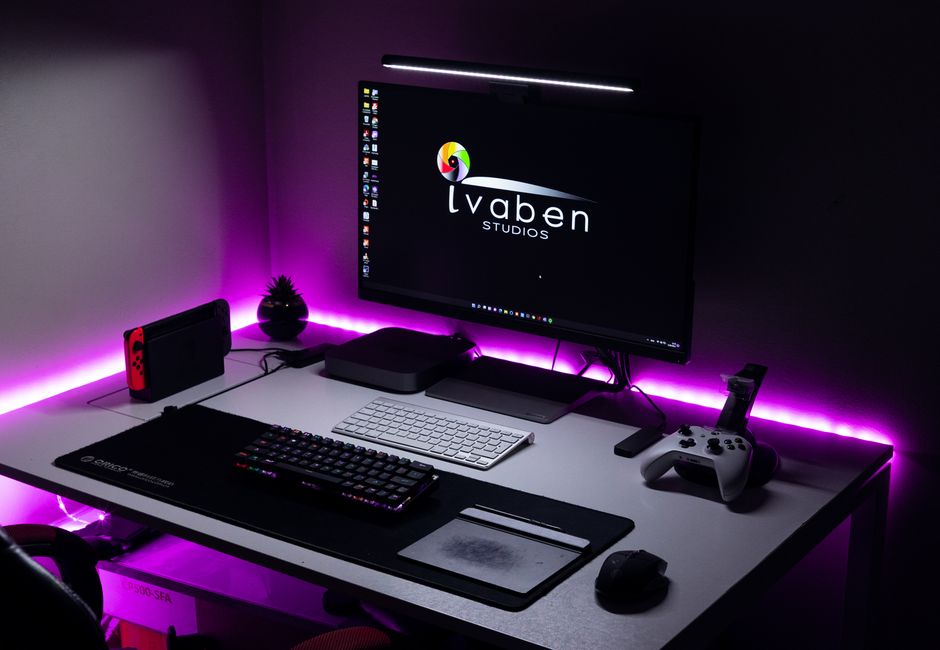
The first step in setting up a successful Twitch stream is choosing the right equipment. A high-quality microphone and webcam are essential, as they directly impact the viewer’s experience. Your microphone should provide clear audio without background noise, while a good webcam will ensure you are visible and engaging on screen. Popular brands offer a range of options that are typically suitable for most budgets, so research and choose based on reviews and current models.
Software and Configuration
Next, you’ll need streaming software to broadcast your content. OBS Studio and Streamlabs are popular choices, both offering robust features for beginners and advanced users alike. Spend time configuring your software: adjust your bitrate for a smooth stream and set up scenes for various camera angles or graphics. Tutorials are widely available online to guide you through this process.

Creating a Professional Overlay
Visual presentation matters. Designing an overlay that reflects your brand makes your stream more professional. This can include animated alerts, branded graphics, and a cohesive color scheme. Many software options allow custom overlays, or you can purchase template packages. Ensure your overlay complements rather than distracts from your content.
Engaging with Your Audience
Building Community
Engagement is key to maintaining and growing your audience. Interact with your viewers through chat, addressing them by name and responding to their comments in real-time. Utilize channel points and interactive features Twitch offers to encourage participation. Creating a Discord server is another effective way to foster community outside of streaming hours.
Consistency and Scheduling
Consistency helps viewers know when to tune in. Establish a regular streaming schedule and stick to it. This not only builds anticipation but also shows your commitment, helping to build trust with your audience. Use social media platforms to remind your followers of your streaming times.
Growing Your Twitch Channel
Networking with Other Streamers
Networking is an invaluable strategy. Collaborate with other streamers by hosting or raiding their channels. This introduces your content to new audiences and fosters a sense of community. Attend Twitch events and forums online to connect with other creators and share insights.
Using Social Media
Extend your reach by actively using social media. Promote your streams on platforms like Twitter, Facebook, and Instagram. Share highlights and clips to attract new viewers and keep your current audience engaged. Hashtags and trends can help increase your visibility on these platforms.
Monetizing Your Stream
Understanding Twitch Affiliate and Partner Programs
Monetization on Twitch can be achieved through their Affiliate and Partner programs. As an Affiliate, you gain access to bits and subscriptions, while becoming a Partner offers greater revenue opportunities. Each has specific requirements, such as average viewership numbers and streaming days per month, so plan your growth strategy accordingly.
Exploring Additional Revenue Streams
Apart from Twitch’s built-in monetization, consider other revenue streams like sponsorships, donations, and merchandise. These require building a solid brand and audience but can significantly boost your income. Platforms like Patreon can also help you offer exclusive content to dedicated fans.

Common Mistakes to Avoid
- Neglecting Quality: Always prioritize stream quality over quantity. Poor audio or video can turn away potential viewers.
- Overlooking Branding: Consistent branding across platforms helps build a recognizable identity.
- Ignoring Analytics: Regularly review your analytics to understand what works and what doesn’t.
By following these guidelines and continuously learning, you can transition from a beginner to a seasoned Twitch streamer. Remember that success requires patience and persistence, so keep engaging with your audience and refining your craft.

Unlock Full Article
Watch a quick video to get instant access.