As gaming technology continues to evolve, gamers are finding themselves at a crossroads when selecting the right monitor. With a myriad of options available, making an informed decision can seem daunting. This guide will help you navigate the 2026 gaming monitor landscape, focusing on the latest technologies and trends, and how they relate to your gaming preferences and setup.
Understanding Key Monitor Specifications
When choosing a gaming monitor, it’s crucial to understand the specifications that define its performance and how they affect your gaming experience. Key specifications include screen resolution, refresh rate, response time, and panel type.
Screen Resolution
Resolution is a critical factor, determining the clarity and detail of the images displayed. The popular choices are Full HD (1920×1080), Quad HD (2560×1440), and 4K (3840×2160). Higher resolutions provide sharper images but require more powerful hardware to maintain high frame rates in games. For most gamers, Quad HD strikes a balance between performance and visual fidelity.
Refresh Rate
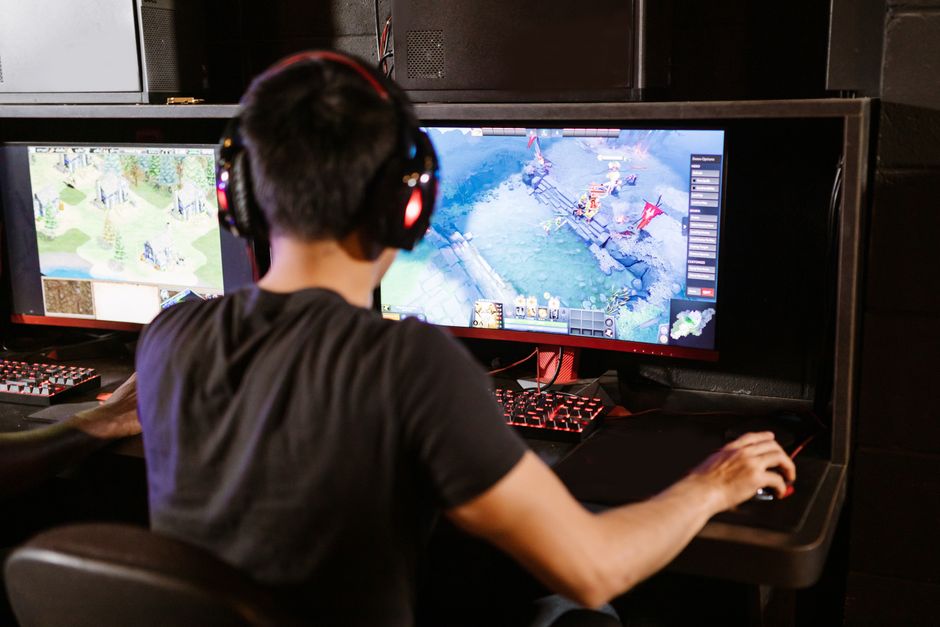
The refresh rate, measured in hertz (Hz), indicates how many times per second the monitor updates with new information. Higher refresh rates, such as 144Hz or 240Hz, result in smoother motion on screen, which is especially beneficial for fast-paced games. Pairing the refresh rate with your GPU’s capabilities is essential for optimal performance.
Response Time
Response time, measured in milliseconds (ms), reflects how quickly a pixel can change from one color to another. Lower response times help reduce motion blur and ghosting effects, which can be significant in competitive gaming. Look for monitors with a response time of 1ms to 5ms for the best performance.
Panel Type
Monitors come in various panel types, including TN, IPS, and VA. TN panels offer the fastest response times but have poorer color reproduction and viewing angles. IPS panels provide better color accuracy and wider viewing angles but at a higher cost. VA panels offer deep contrast and good color, sitting between TN and IPS in terms of speed and price.
Choosing the Right Size and Aspect Ratio
The size of your gaming monitor affects both immersion and practicality. Common sizes range from 24 inches to 32 inches, with ultrawide monitors offering even larger displays. Your desk space and personal preference will largely determine the best size for you. Ultrawide monitors with a 21:9 aspect ratio provide a more immersive experience by extending the field of view, which is excellent for simulation and racing games.
Advanced Features and Technologies
Modern gaming monitors come with a host of advanced features designed to enhance the gaming experience.
Variable Refresh Rate Technologies
Technologies such as NVIDIA G-Sync and AMD FreeSync help eliminate screen tearing by synchronizing the monitor’s refresh rate with the GPU’s frame rate. This results in smoother gameplay and improved frame stability.
HDR Support
High Dynamic Range (HDR) technology enhances the color range and contrast ratio of a monitor, providing more vivid and lifelike images. HDR support varies across monitors, so ensure that you verify the HDR standard they adhere to before purchasing.
Connectivity and Ergonomics
When choosing a gaming monitor, it’s crucial to consider connectivity options and ergonomic features.
Connectivity
Ensure your monitor has the necessary ports for your setup, such as HDMI, DisplayPort, and USB hubs. Multiple input options allow for easy switching between different devices.
Ergonomics
Adjustability in height, tilt, swivel, and pivot can greatly impact your comfort during long gaming sessions. An ergonomically designed monitor helps reduce strain and allows you to maintain an optimal viewing position.
Budget Considerations
Gaming monitor prices vary widely based on features and specifications. High-end models with advanced features and larger sizes come at a premium, while budget-friendly options may sacrifice some performance aspects. Assess your priorities and budget to find a monitor that offers the best value based on your specific needs.
Common Mistakes to Avoid
- Ignoring Compatibility: Ensure that your monitor’s specifications align with your PC’s capabilities to avoid bottlenecks.
- Overlooking Ergonomics: A monitor with poor ergonomics can lead to discomfort during extended use.
- Neglecting Future-Proofing: Consider investing in a monitor that will remain relevant as technology advances.
Conclusion: Making the Right Choice
Choosing the right gaming monitor is a balance between understanding technical specifications, assessing your gaming preferences, and considering your budget. By prioritizing features that enhance your gaming experience, such as high refresh rates and low response times, you can select a monitor that meets your needs and enhances your overall setup. Whether you’re a competitive gamer or enjoy leisurely sessions, the perfect monitor is out there waiting for you.

Unlock Full Article
Watch a quick video to get instant access.