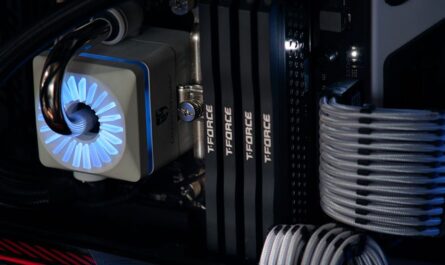
Building your own gaming PC is an immensely rewarding experience, offering the opportunity to customize your machine to meet your specific needs and preferences. However, one of the most critical challenges in this process is ensuring that all your components are compatible with each other. Compatibility issues can lead to frustrating delays, increased costs, and a PC that simply doesn’t run as it should. Let’s explore how to avoid these pitfalls and ensure a smooth and successful build.
Understanding Motherboard Compatibility
The motherboard is the backbone of your PC, connecting all other components together. It is crucial to choose a motherboard that is compatible with your chosen CPU, RAM, and graphics card. Motherboards come in different sizes (such as ATX, Micro-ATX, and Mini-ITX), and these sizes determine the layout and the number of available slots for components.
CPU and Socket Type
The first compatibility consideration is the CPU socket type. Different processors require different sockets, so it’s vital to match your CPU with a motherboard that supports it. For instance, if you opt for an AMD CPU, ensure your motherboard supports the appropriate socket type, such as AM4 or AM5.

RAM Compatibility
Next, consider the type and speed of RAM your motherboard supports. Check the motherboard’s specifications to see the maximum RAM speed and capacity it can handle. Also, note the number of RAM slots available and whether they support dual-channel configuration, which can enhance performance.
Expansion Slots
Ensure your motherboard has enough PCIe slots for your needs, particularly if you plan to install multiple graphics cards or other expansion cards. Additionally, confirm that there are enough SATA or NVMe slots for your storage solutions.
Choosing the Right Power Supply
A common mistake in PC building is underestimating the importance of a compatible and adequate power supply unit (PSU). Your PSU needs to provide sufficient wattage to power all your components. Calculate the total power draw of your system, including the CPU, GPU, and other peripherals, and choose a PSU with a little headroom for future upgrades.
Furthermore, ensure the PSU has the correct connectors for your motherboard and graphics card. For instance, many modern GPUs require specific 8-pin or 6-pin connectors, so check compatibility first.
Graphics Card and Case Size
The size of your graphics card can also affect compatibility, particularly with your case. High-performance GPUs can be quite large, so make sure your case has enough space to accommodate the card. Measure the available space in your case before purchasing your GPU, and consider the card’s width and cooling requirements.

If multiple GPUs are part of your build, ensure the motherboard and case can support them without restricting airflow, which is crucial for maintaining optimal temperatures.
Storage and Connectivity
Storage options have expanded greatly, with SSDs and NVMe drives offering lightning-fast speeds. Ensure your motherboard has the right slots and support for these drives. For example, NVMe drives require M.2 slots, which aren’t present on all motherboards.
Additionally, consider the number of SATA ports you’ll need for traditional hard drives or SSDs. If you plan to use multiple storage devices, confirm that your motherboard has enough ports and that your case has enough space for all the drives.
Cooling Solutions and Overclocking
Effective cooling is essential, especially if you plan to overclock your CPU or GPU. Ensure that your chosen cooling solution is compatible with your case and motherboard. Some coolers require specific mounting brackets, which vary between brands and socket types.
If you’re using liquid cooling, verify that your case supports the radiator size you plan to use. Also, check the motherboard’s fan headers to ensure you can connect and control all your cooling fans.

Common Mistakes to Avoid
- Ignoring BIOS Updates: Sometimes, newer CPUs require a BIOS update for full compatibility. Check the manufacturer’s website for updates before installing your components.
- Overlooking Case Size: Small cases may limit your choice of components. Always check dimensions and compatibility with larger GPUs and coolers.
- Forgetting about Future Upgrades: Choose components that offer room for future growth, such as additional RAM slots or PCIe slots.
By understanding and planning for these compatibility considerations, you can avoid many common pitfalls of PC building. Carefully reviewing component specifications and ensuring all parts work harmoniously together will help create a seamless and powerful gaming PC tailored to your needs.

Unlock Full Article
Watch a quick video to get instant access.